Smart Touchscreen Displays: Changing the Way We Communicate and Work
Smart Touchscreen Displays: Changing the Way We Communicate and Work
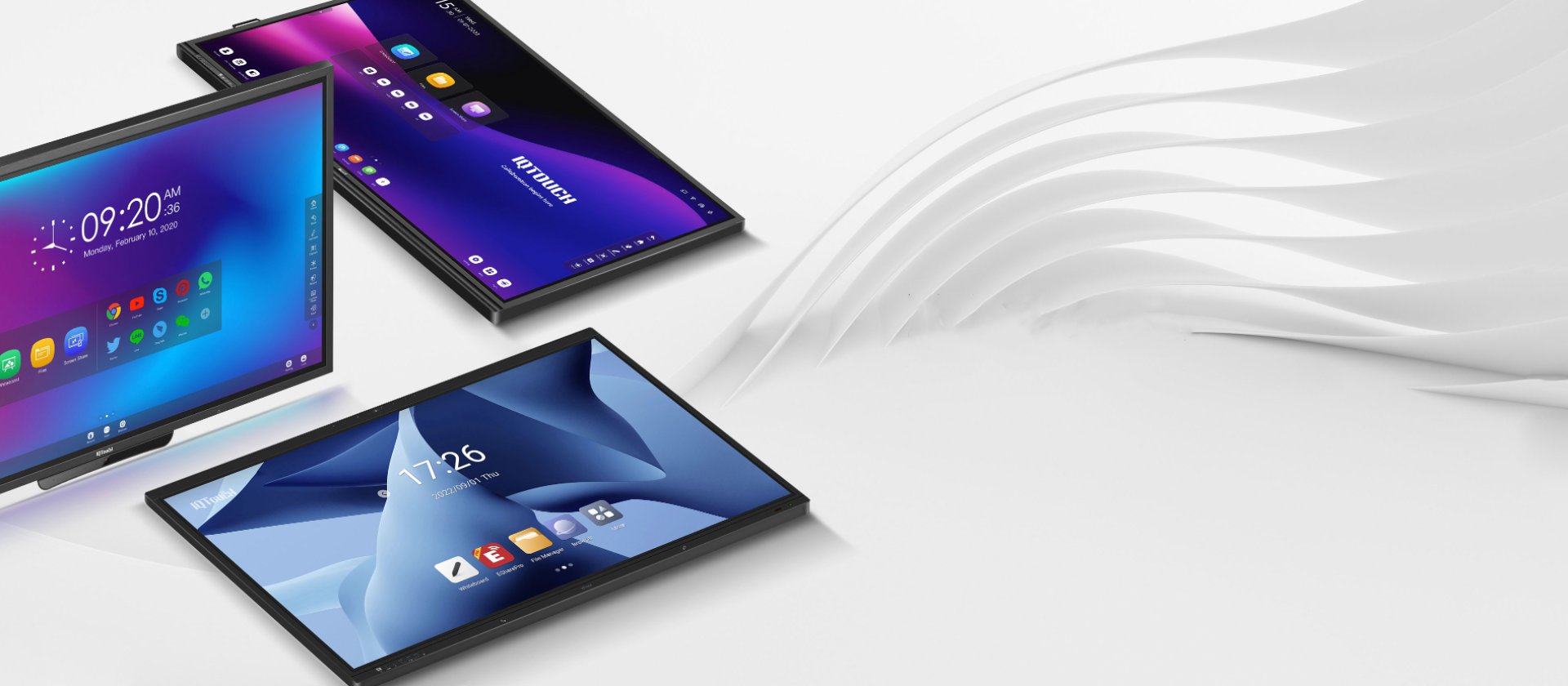
In the digital era, where technology plays a crucial role in our daily lives, our experiences at work and learning have evolved significantly from the past. Smart Touchscreen Displays or IQBoard have emerged as a highly impactful tool, positively influencing the way we communicate, work, and learn in both workplace and educational settings.
Features of Smart Touchscreen Displays:
- Intuitive Touch Interaction: Smart Touchscreen Displays or IQBoard enable users to control and interact with the screen through intuitive touch gestures, such as tapping, swiping, and writing, enhancing the user experience.
- High Resolution and Clarity: Smart Touchscreen Displays or IQBoard often have high resolutions and clear image quality, ensuring that images and text are displayed crisply and vividly.
- Connectivity and Communication: Smart Touchscreen Displays or IQBoard can connect with other devices, such as computers, smartphones, and tablets, facilitating content sharing and collaborative work.
- Image and Video Display: Smart Touchscreen Displays or IQBoard can showcase clear images and videos, making them suitable for presentations or educational purposes.
- Collaborative Work Support: Smart Touchscreen Displays or IQBoard facilitate easy collaboration, allowing users to share content, summarize information, and work together seamlessly on the screen.
Applications of Smart Touchscreen Displays:
- Education: In classrooms, Smart Touchscreen Displays or IQBoard enhance the learning experience by making lessons more engaging. Teachers can present content, and students can interact with the screen, fostering active participation.
- Workplace: In professional settings, Smart Touchscreen Displays or IQBoard are used for presentations, meetings, and collaborative work with team members.
- Public Spaces: Smart Touchscreen Displays or IQBoard play a crucial role in public spaces, such as retail environments, tourist destinations, and providing information and communication to people.
Related Content

In todays fast-paced digital era, smart meeting rooms have become essential for driving organizational efficiency. The smart display (Interactive Display) is at the core of this transformation, enhancing collaboration and offering a seamless experience for modern workplaces.
23 ธ.ค. 2024
Experience DTran Technology’s grand showcase at Food Pack Asia 2026—a premier event bringing together the very best of innovation. Discover cutting-edge high-tech solutions, explore the latest trends in the food, beverage, and packaging industries, and gain insights from exclusive seminars led by industry-leading experts. Join us for a comprehensive look at the future of technology, all in one place.
17 มี.ค. 2026
Celebrate the 2026 Songkran Festival with an offer that organizations and educational institutions simply cannot miss! DTran Technology is proud to present our exclusive "Buy 1 Get 2" promotion, designed to maximize the efficiency of your hybrid meetings and modern classrooms.
2 เม.ย. 2026
